Minesweeper
Clear the field without setting off a mine: beginner, intermediate and expert.
Right-click or long-press to flag · click a number to open around it · arrows, Enter and F work too.
Right-click or long-press to flag · click a number to open around it · arrows, Enter and F work too.
How to play
- Open a cell: its number tells how many of the eight cells around it hide a mine. The first click is always safe.
- Flag a mine with a right-click, a long press on a touch screen, or by turning on flag mode and tapping.
- Click an open number once all its mines are flagged to open the rest of its neighbours at once.
- Open every cell that has no mine to win. Beginner is 9×9 with 10 mines, intermediate 16×16 with 40, expert 30×16 with 99.
- On a keyboard, the arrow keys move, Enter or Space opens and F flags.
More games
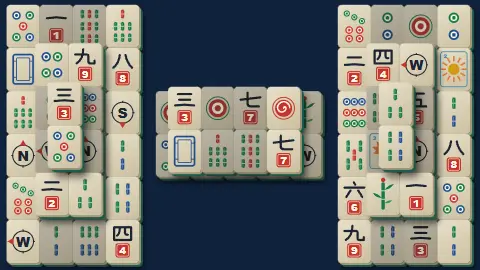 Mahjong SolitaireMatch free tiles in pairs until the board is clear.
 Jigsaw PuzzlesPhotos from Wikimedia Commons cut into 24 to 150 pieces.
 SudokuA fresh puzzle every time, from easy to expert, with notes and hints.
 Killer SudokuSudoku with sums: dashed cages give the total of their digits, from easy to hard, with notes and hints.
 Daily CrosswordA new crossword every day: eleven by eleven, every square in two words, about fifteen minutes.
 Number MergeSlide the tiles, merge equal numbers and build your way to 2048 and beyond.
 NonogramsFill the grid from the number clues to reveal a hidden picture, with a new puzzle every day.
 Block PuzzleFit pieces on a nine-by-nine grid and clear full rows, columns and squares. No timer, no rush.
About Minesweeper
Minesweeper is a puzzle of numbers and careful guesses. A field of hidden squares holds mines, and you open every square that has none. If you open a mine, the game ends.
A good game is mostly logic. Each number tells you something exact, and most of the field can be solved without luck. Beginner is 9 by 9 with 10 mines, intermediate is 16 by 16 with 40, and expert is 30 by 16 with 99.
Rules
Open a square. Its number tells how many of the eight squares around it hide a mine. The first click is always safe. A blank square opens its neighbors too.
Flag a mine with a right-click or by turning on flag mode. Click an open number once all its mines are flagged and the rest of its neighbors open at once. On a keyboard, arrows move, Enter or Space opens and F flags.
Tips
If a 1 touches only one closed square, that square is a mine. If a number already has all its mines flagged, every other neighbor is safe.
Compare two numbers side by side. Squares one touches and the other does not often settle both.
Questions people ask
Is the first click safe?
Yes. The first square you open is never a mine, and neither are the squares around it, so it opens an area.
Do I have to guess?
Sometimes. The mines are laid at random, so a field can leave no safe move, and then you have to guess. Most of the field comes from logic.
Is there a daily game?
Yes. The daily field is an intermediate one, opened in the middle for you, and the same for everyone.
What is a flag for?
It marks a square you think holds a mine, so you do not open it by mistake.